Quick start
Minify your first CSS or JavaScript file in about a minute.
You need the extension installed. See Install if you have not done that yet.
1. Open a CSS or JavaScript file
Open any .css or .js file in VS Code. To try it with a throwaway file, create a new file, save it as style.css, and paste this in:
/* My first stylesheet */
body {
  margin: 0px;
  font-family: Arial, sans-serif;
  background-color: #ffffff;
}

h1 {
  color: #333333;
  font-size: 2rem;
  margin-bottom: 16px;
}

.button {
  padding: 8px 16px;
  color: white;
  background-color: rgb(0, 102, 204);
}2. Run the command
Click inside the file, then use whichever way you like best.
With the keyboard:
| Windows and Linux | macOS | |
|---|---|---|
| Minify this File | Ctrl+Alt+M | Control+Option+M (⌃⌥M) |
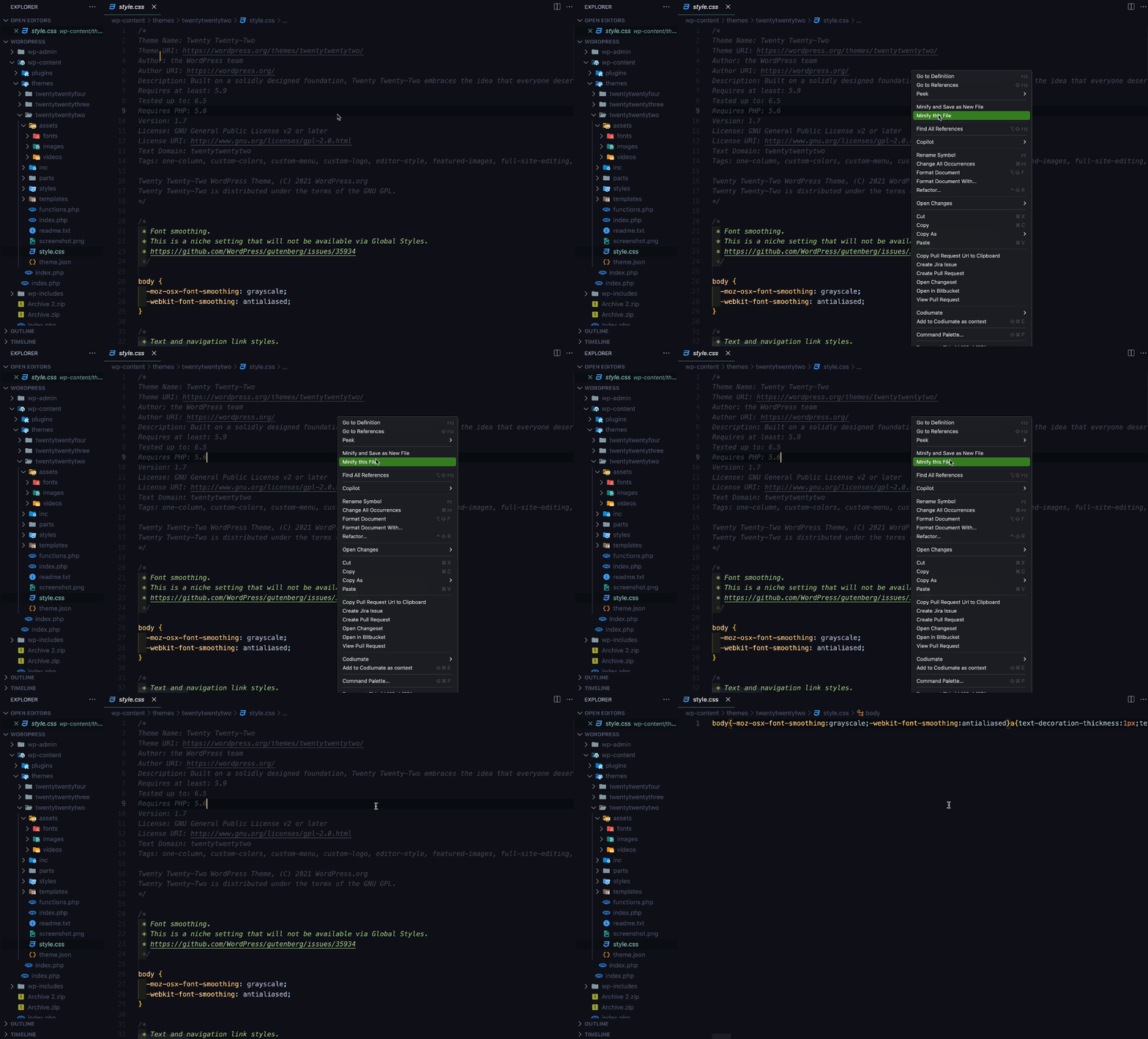
With the mouse: right-click inside the editor and choose Minify this File. You can also right-click the file in the Explorer (the file list on the left).
With the Command Palette: press Ctrl+Shift+P (Windows and Linux) or Cmd+Shift+P (macOS), type Minify, and choose Minify this File.
3. See the result
The file is now a single line, the comments are gone, and it is saved. A notification in the bottom right corner tells you how much smaller it got. For the sample above it says:
style.css has been successfully minified (Size reduced from 269 B to 171 B, 36% reduction)The file now holds this (the numbers above were measured by running the real minifier on exactly the sample, saved with a final newline):
body{background-color:#fff;margin:0;font-family:Arial,sans-serif}h1{color:#333;margin-bottom:16px;font-size:2rem}.button{color:#fff;background-color:#06c;padding:8px 16px}4. Undo it
Minify this File replaces the content of the file and saves it. To go back:
- Press
Ctrl+Z(Windows and Linux) orCmd+Z(macOS). Your original text comes back in the editor. - Press
Ctrl+SorCmd+Sto save it again, because the minified version is already on disk.
5. Keep the original and get a .min copy
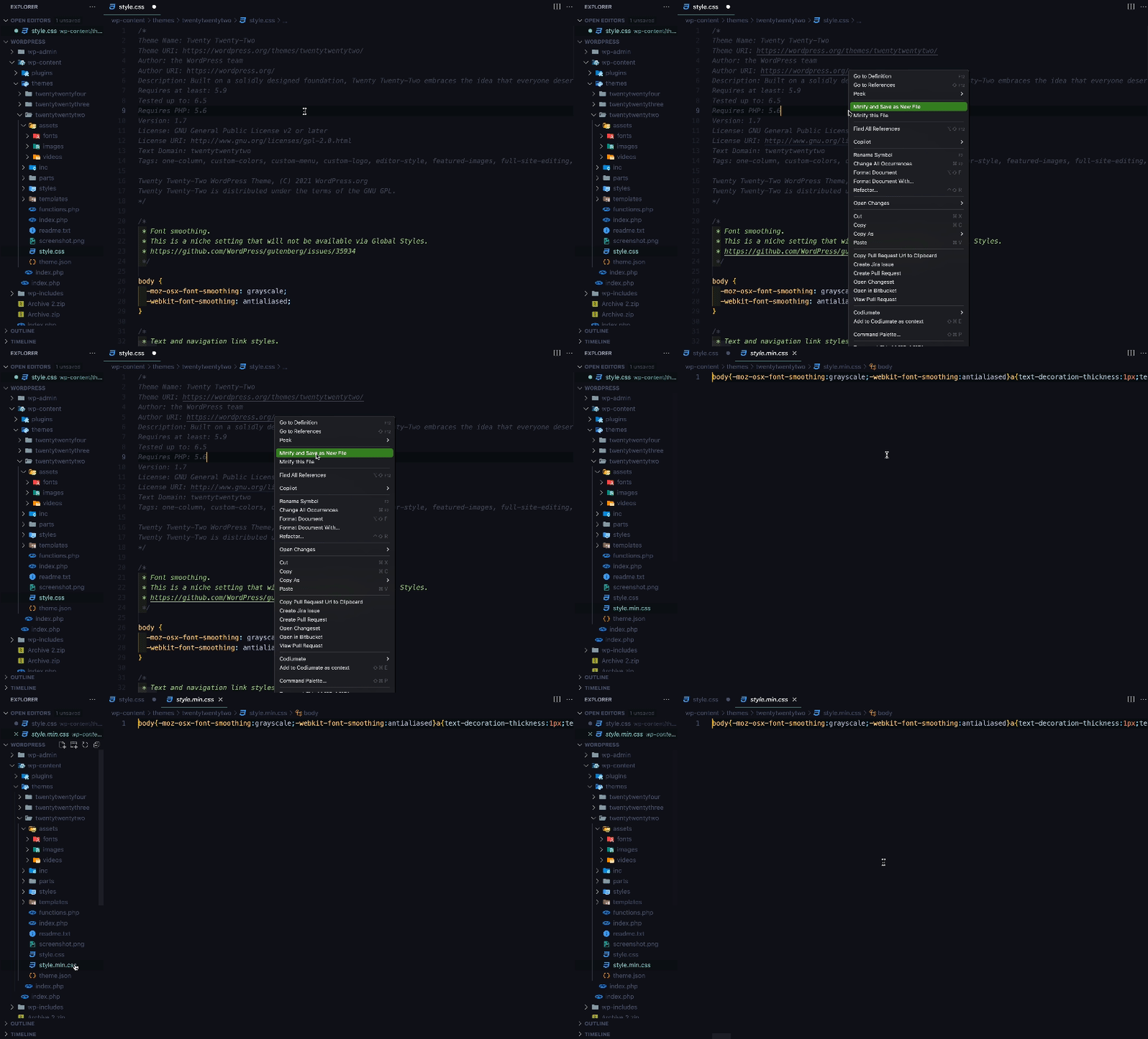
The second command writes the minified result to a new file next to the original and leaves the original as it is.
| Windows and Linux | macOS | |
|---|---|---|
| Minify and Save as New File | Ctrl+Alt+N | Control+Option+N (⌃⌥N) |
Or right-click and choose Minify and Save as New File. style.css becomes style.min.css, and by default the new file opens in the editor. The file must be saved on disk first, so a brand new unsaved file asks you to save it.
What next
- Commands and shortcuts: every way to run the commands, and how to change the keys.
- Configuration: minify on save, change the
.minname, hide the size message. - Examples: more before and after, for CSS and JavaScript.
- Troubleshooting: if something does not work.