Package2026
docs-sitekit, a documentation site for every repository
One command gives a repository a modern documentation site, built from its own docs and published to GitHub Pages.
RoleAuthor and maintainer
- TypeScript
- Astro
- Tailwind CSS 4
- shadcn/ui
- GitHub Actions
Overview
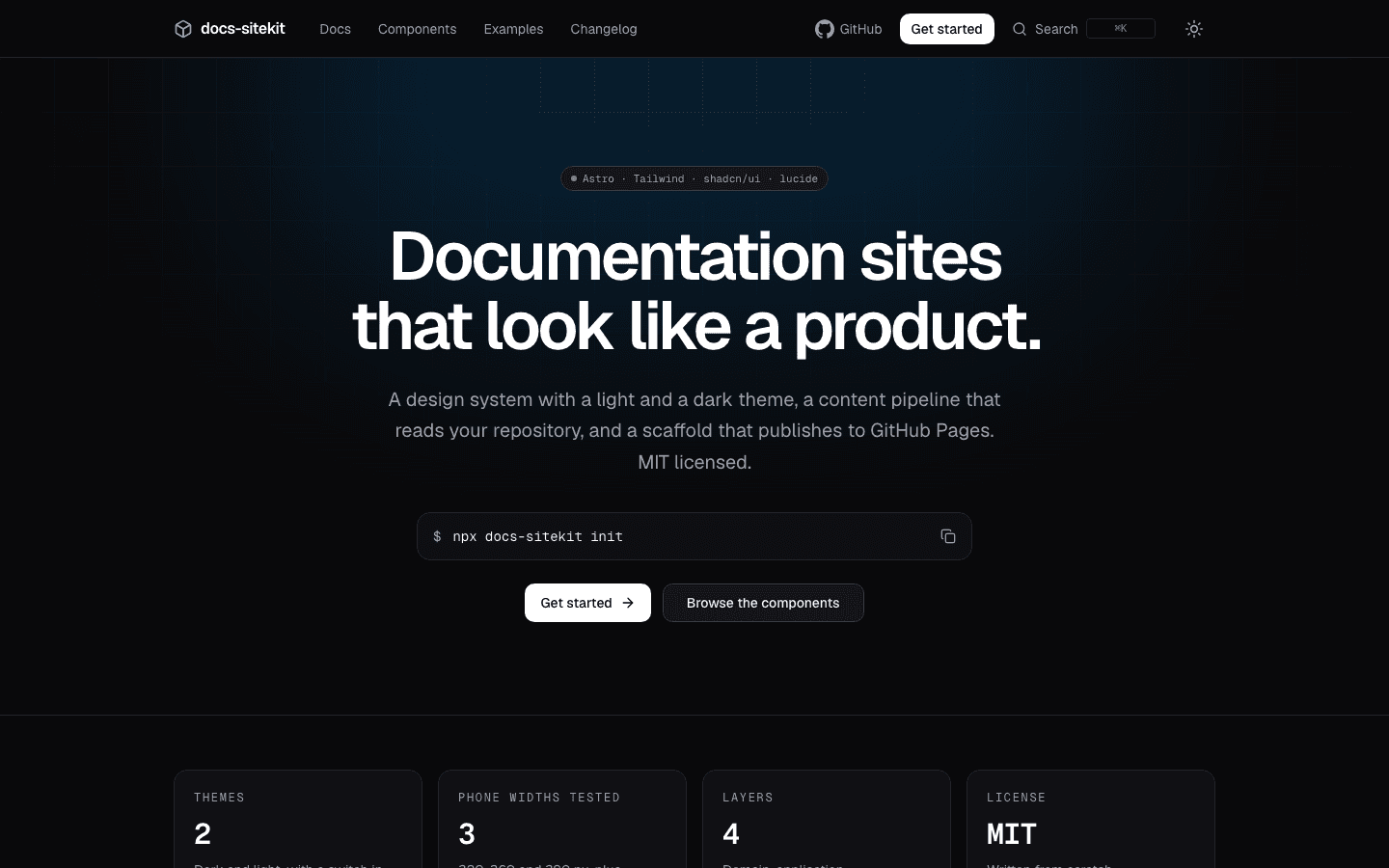
I have many repositories and I wanted each one to have a documentation site that looks like a product and costs almost nothing to start. docs-sitekit is a CLI, an Astro template and a reusable GitHub Action. In the root of a repository, npx docs-sitekit init reads package.json and the git remote, copies the site into site/ and writes the workflow that publishes it to GitHub Pages.
The site reads the repository's own docs/, examples/ and CHANGELOG.md, so the documentation lives next to the code and the site is rebuilt on every release.
The challenge
Standardizing is easy to say and hard to keep. The kit has to look good on a phone and a desktop, be safe to publish, and not depend on any token or private registry, so that anyone can build the site. And it has to survive being used on repositories that are not the one it was written in.
Key features
- 100 in Lighthouse on mobile, in all four categories. Performance, Accessibility, Best Practices and SEO scored 100 in every run, on the home page of each of the five sites built with the kit. Measured, not claimed: see the Outcome.
- A design system with a light and a dark theme: tokens and components on Astro, Tailwind CSS 4, shadcn/ui and lucide. A switch in the header changes the theme and the browser remembers the choice. The components are copied into your site, so you own them.
- A page for each component: 19 pages, each with a live preview, the code behind it, the command that adds it and its props. The preview and the code come from one file, so they cannot drift apart.
- Search: a button in the header, or Ctrl K, opens a dialog that searches the title, headings and text of every page. Its code and index load the first time it is used.
- Your repository is the source. Relative links keep working on GitHub and on the site.
- A reusable Action that installs, builds, checks and uploads the site. Deploying stays in your own workflow, so a pull request can build the site without being able to publish it.
- Safe to publish: a check scans the content and the built files for credentials and internal hosts, and warns when a private repository would publish a public site.
- Static and fast: every route is a real HTML file. In the 0.2 line the mobile menu became a native
<dialog>and not a React sheet, so a page no longer downloads React for a toggle. On a site made byinit, in Lighthouse 12.6.1 on mobile, three runs, the LCP went from 2.86 to 3.00 s down to 1.95 s, the score from 93 to 94 up to 99, and the page from 337 KB to 152 KB. - Eleven brand logos as inline SVG, with
icon: "brand:<slug>"in the config. A check refuses a logo whose license is not CC0 unless it is on an allowlist with its author and attribution.
Technologies used
- Site: Astro, Tailwind CSS 4, shadcn/ui, lucide, Geist.
- CLI: TypeScript on Node.js.
- Tooling and infrastructure: GitHub Actions and GitHub Pages, and CodeQL. Tests with Jest and Playwright at phone and desktop widths: on 2026-11-05 the CI of
mainpassed 1,344 unit and integration tests and 814 browser tests. The design reference is skills.addy.ie by Addy Osmani: I reproduced the look and structure and copied no code, CSS or text.
Outcome
Six versions are on npm, from 0.1.0 on 2026-10-28 to 0.2.4 on 2026-11-05, and the Action is listed on the GitHub Marketplace. Five documentation sites are built with the kit, and on 2026-11-06 all five ran 0.2.4: its own, jsdoc-to-tsdoc, recaptcha-next, CSS and JS Minifier and the WhatsApp widget.
On 2026-11-06 I ran Lighthouse 12.6.1 on mobile, three times, against the home page of each of the five sites. All fifteen runs scored 100 in Performance, Accessibility, Best Practices and SEO. The median Largest Contentful Paint was 1.29 to 1.30 s on every site, with 0 ms of total blocking time and no layout shift. A page weighs 154 to 157 KB, and 73 KB on the site of the WhatsApp widget. Lighthouse simulates the throttling and I ran it from my own laptop, so this checks the template on these five sites. It is not a promise for every site made with it.
Scanning with CodeQL is where the kit was tested hardest. It found three warnings in code that every generated site carries, when it analysed a site made by 0.2.0, and they were fixed in 0.2.2. The kit had no CodeQL workflow of its own at that point. It got one in the next pull request, and it now scans itself on every pull request, on main and every Monday. Eight more alerts were fixed in 0.2.3, so the 0.2 line closed eleven.
Screenshots
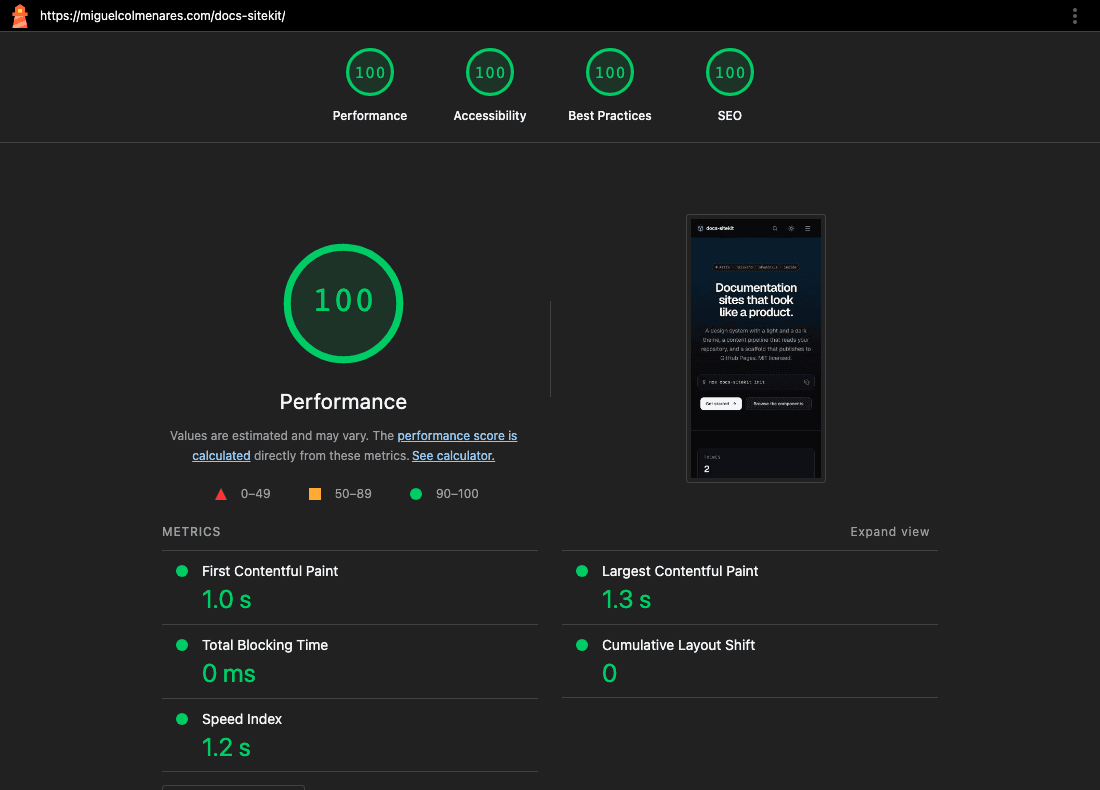
Lighthouse 12.6.1 on mobile, 2026-11-06, the live home page. Three runs, 100 in all four categories every time. 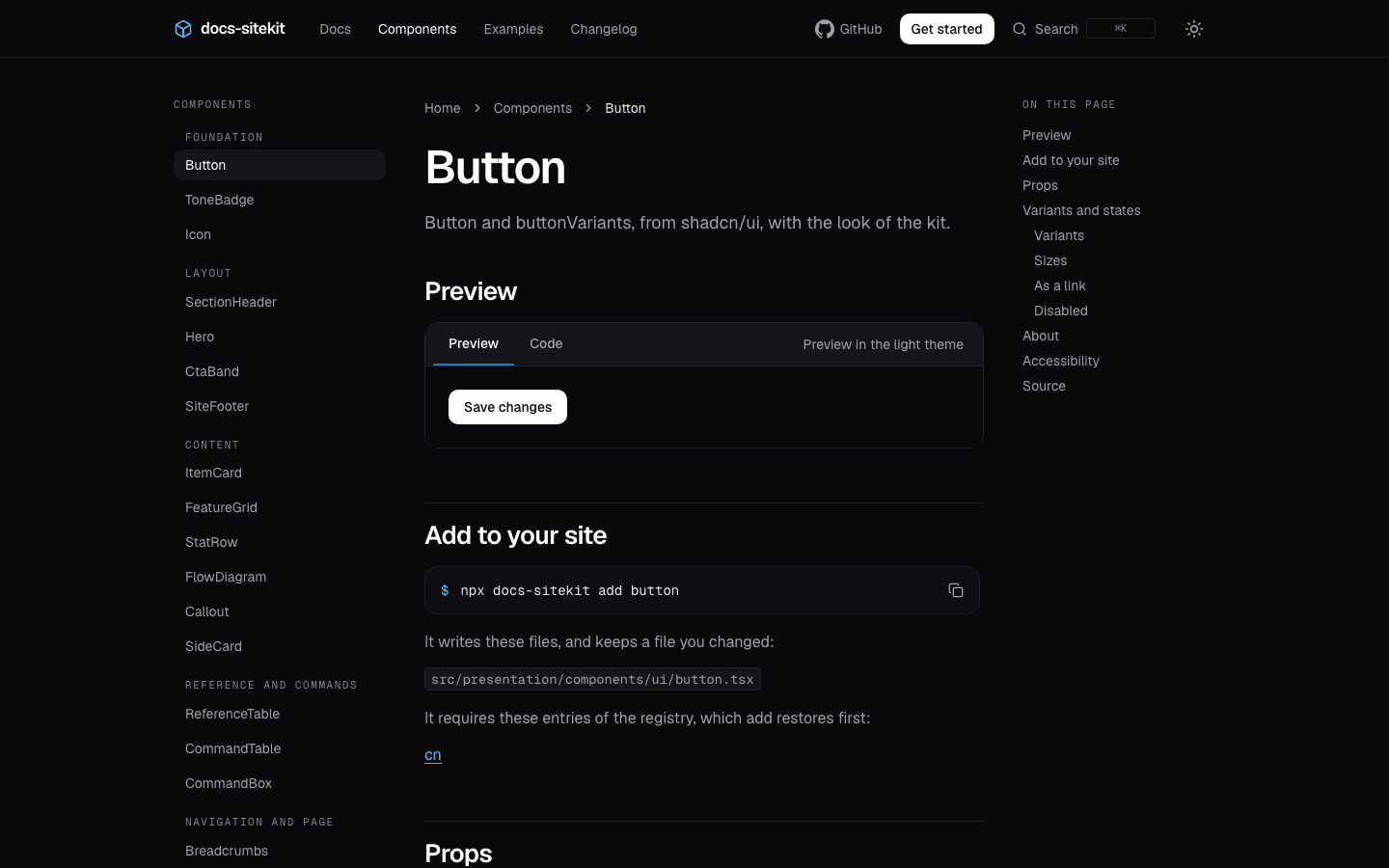
A component page: a live preview, the code behind it, and the command that adds it to your site. 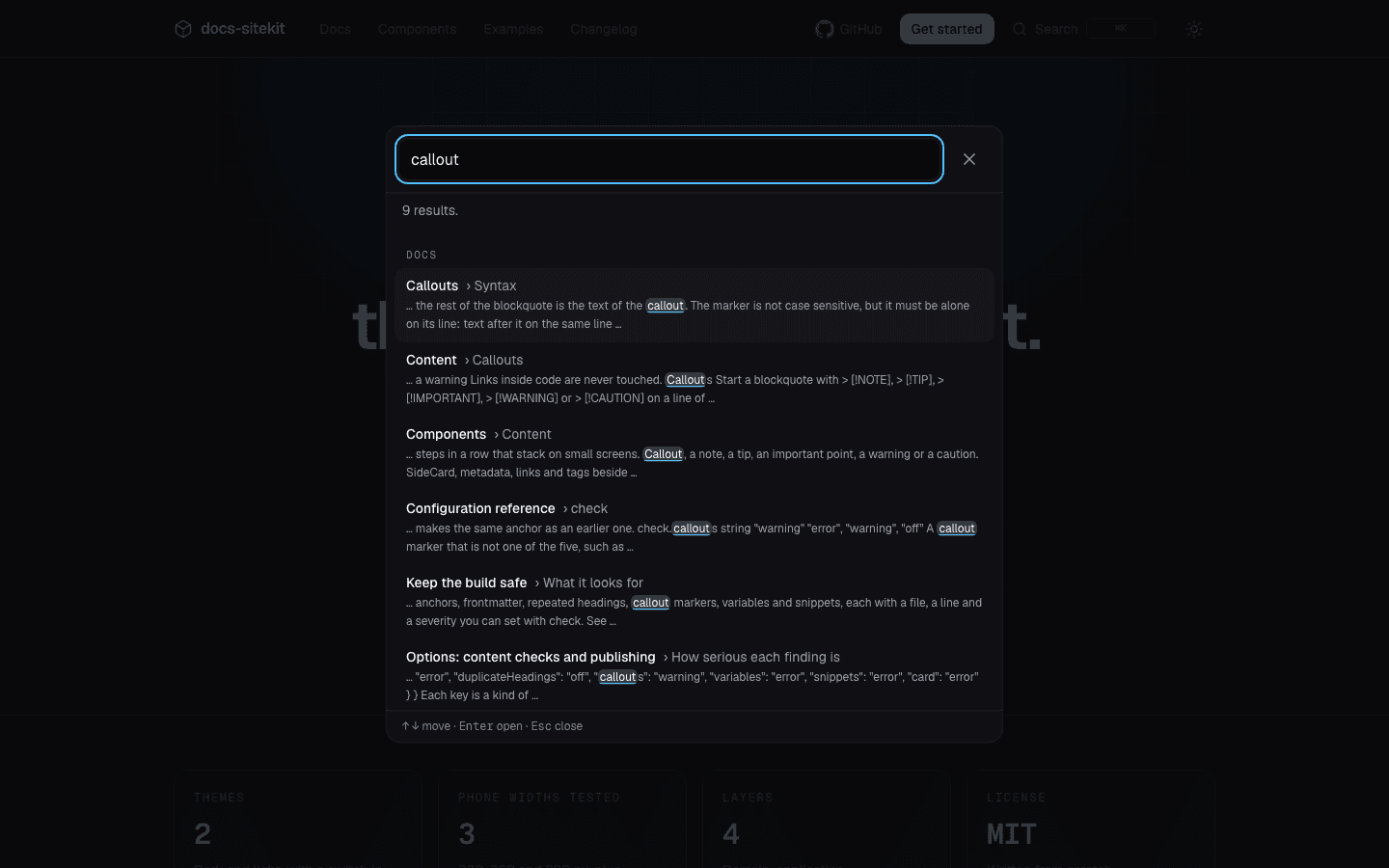
The search, opened from the header. It reads the title, headings and text of every page. 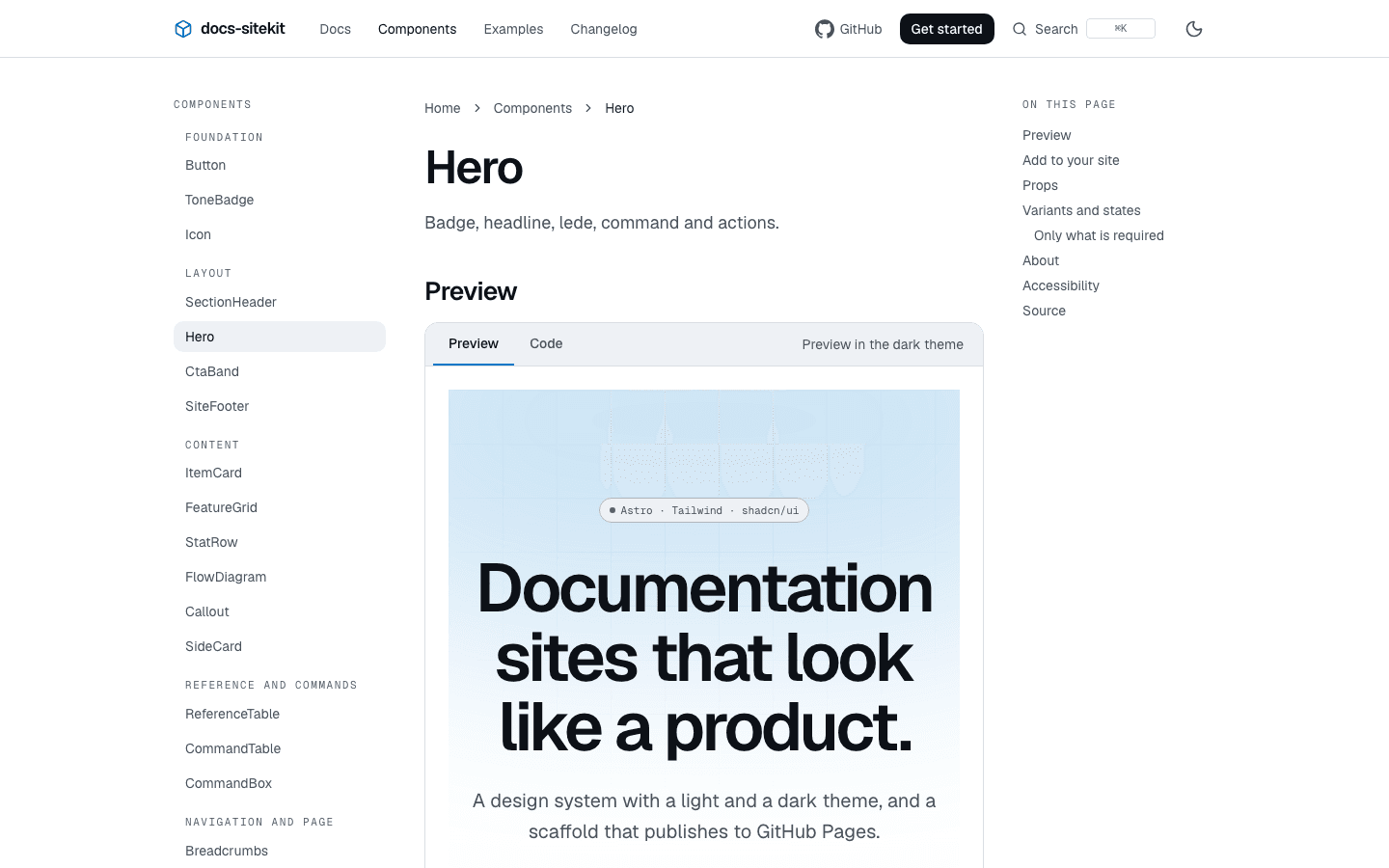
The same site in the light theme. Each preview can be switched to the other theme without leaving the page.